
OpenVR related visual distortions - DCS World, iRacing
Overview
If you're experiencing unusual visual distortions or discomfort in some titles that make the world feel "off", "nauseating", "like a fun mirror", etc, this may be due to the game running in OpenVR mode by default. By switching to OpenXR mode instead, these issues should go away!
DCS World
Fixing DCS World: Steam Edition
To fix the visual distortion in the steam version of DCS world, launch the game normally, do not select "launch DCS world in SteamVR mode", or else it will launch in OpenVR
Then, select "enable VR" in the game settings menu > VR, and wait for DCS world to restart
Alternatively, you can simply switch to the standalone version of the game, which is known to be more stable and have less VR-related issues.
Steam to Standalone
Download installer from ED and run it
-Untick "download" at end of setup -Copy across files from Steam to Standalone
Delete retail.cfg in YourDCSFolder/Config/
Run Repair DCS World-For transferring modules bought on steam, see: https://www.digitalcombatsimulator.com/en/support/faq/steam/#3303126
Improving performance
To help improve performance with DCS world, see this optimization guide:
https://www.8492sqdn.net/guides/dcs/performance/
iRacing
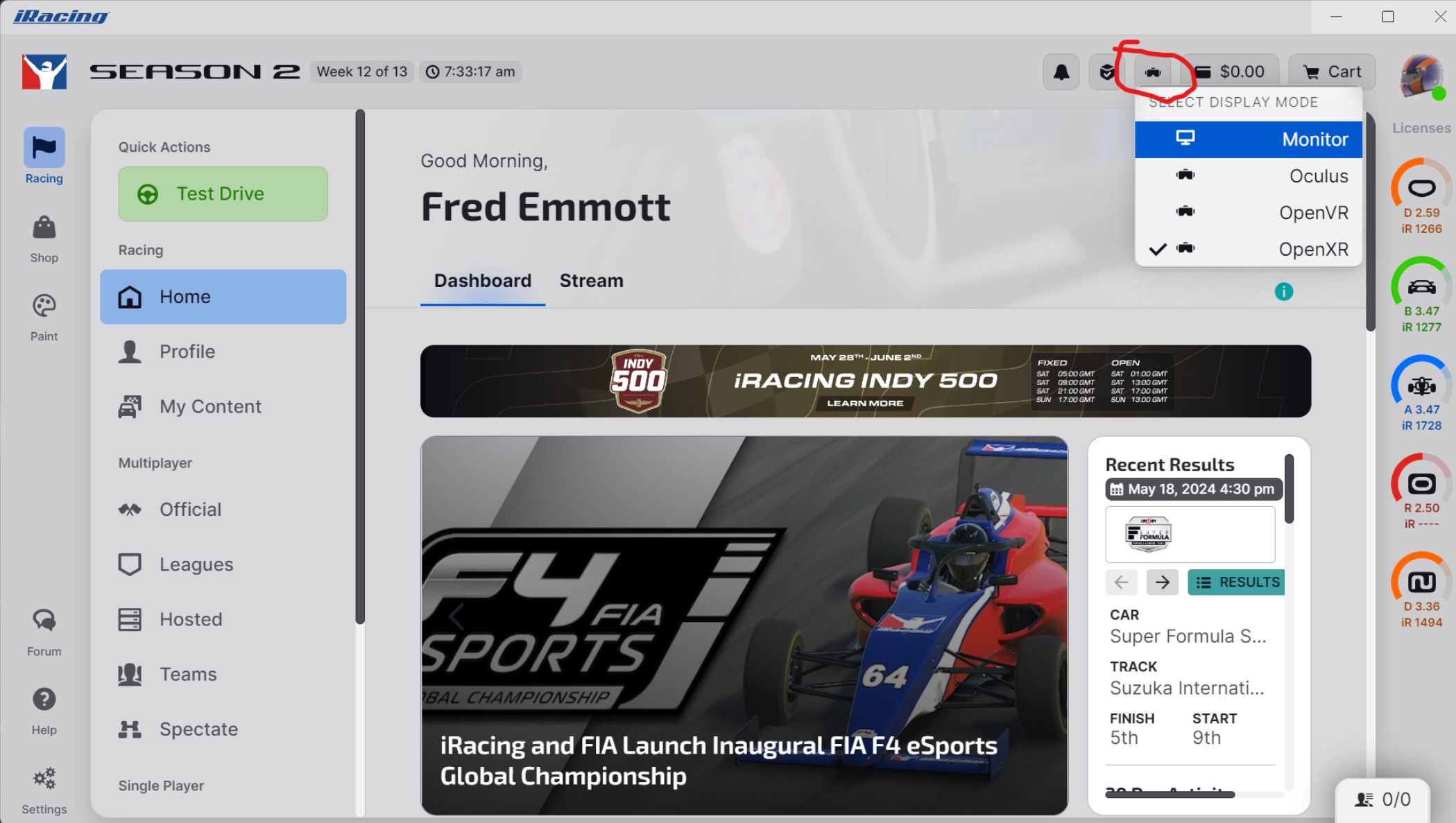
To fix the distortion issues in iRacing, Users must select the openXR option BEFORE running the graphics configuration or else it will select the settings for a normal display and not be optimized for VR. The headset has to be connected and 'running' in steamVR before the correct menu to be accessed within Iracing.
Easiest way to switch is from the toolbar in the top right of the app (screenshot); it's also in Settings -> Interface -> Default Sim Display Mode, near the top.
Alternative fix to keep using OpenVR
If you wish to keep using the OpenVR version of iRacing, there's a config edit you can do. Modify the rendererDX11.ini can help for some users, as described in the iRacing patch notes.
[OpenVR]AlignmentFix=3 ; 0=off, 1=simple (SPS), 2=simple (always), 3=advanced (SPS)PredictionMode=2 ; 0=off, 1=dynamic, 2=fixedFixGetProjectionRawBug=1 ; Might help fix vertical eye alignment issuesImproving performance
To help improve iRacing performance, there's an optimization guide available on their forum:
https://forums.iracing.com/discussion/1185/iracing-vr-optimization-guide/p1
There is also a forum thread specifically for Beyond-related optimizations.
https://forums.iracing.com/discussion/66742/big-screen-beyond-suggestions