
Using a Laptop With the Beyond
Overview
Using a laptop with the Bigscreen Beyond is easy enough to do, but comes with some caveats. The Beyond needs to access a DisplayPort 1.4 signal capable of supporting Display Stream Compression (DSC).
This means you need a USB-C or miniDP port that's connected to the discrete graphics on the laptop above minimum specs (i.e RX 5700 XT, RTX 2060 or better), and not the integrated graphics from the CPU - laptops are inconsistent about this, so be careful when choosing a model!
A miniDP to DP or USB-C to DP adapter will work with the Beyond.
An HDMI to DP adapter will NOT work under any circumstances (it does not support the features we need)
Checking Your Laptop for Compatibility
Many laptops advertise their ability to output a DisplayPort signal through USB, but it won't work unless it's actually connecting to the discrete graphics on the laptop.
To check an NVIDIA laptop GPU:
Right click your desktop
Click "configure surround, PhysX"
Look at the little graph - it will show which ports are connected to which source on the GPU. Image example below:
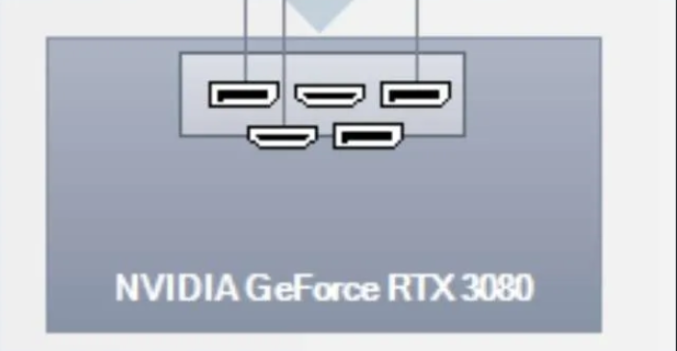
To check an AMD Laptop GPU:
This comes up pretty rarely, and we're not quite sure of a reliable method to check - to be added at a later date!
Laptop Reviewers
Jarrod'sTech makes a great source for choosing a laptop - the videos always feature a marked sections on ports, and they will specify which ports can output a DP signal from the dedicated graphics. Example video: (see 3:41)
My Laptop gives a 436 error when the Beyond is plugged in!
This is likely because...
Your laptop does not have a graphics card capable of running the Beyond
The port you've plugged it into does not connect to the dedicated GPU
You're using an incompatible adapter, or an HDMI to DP adapter