
How to adjust your IPD
Overview
Beyond 2 adds independent IPD (interpupillary distance) adjustment for each eye. To get the sharpest, most comfortable image, you’ll first need to know your own IPD. Don't know your IPD or want to optimize it? Go read our tips & tricks on measuring, adjusting, and dialing it in here.
The headset’s physical IPD spans 53 mm–70 mm (optically accommodated from 48 mm–75 mm)
Caution - Adjusting near the limits
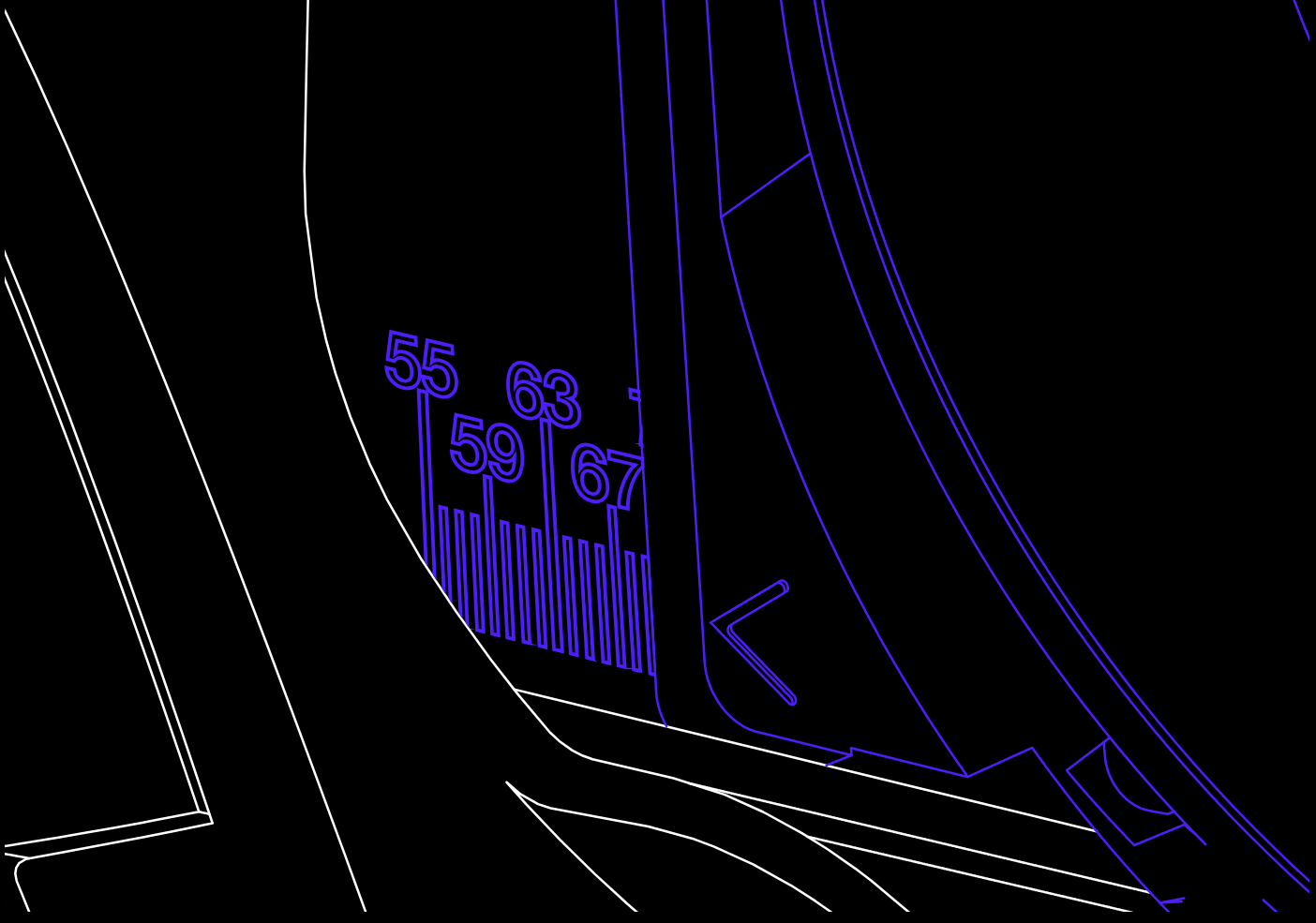
The IPD of each lens can be read best at a slight angle, when the arrow is directly at the middle of the line indicated:
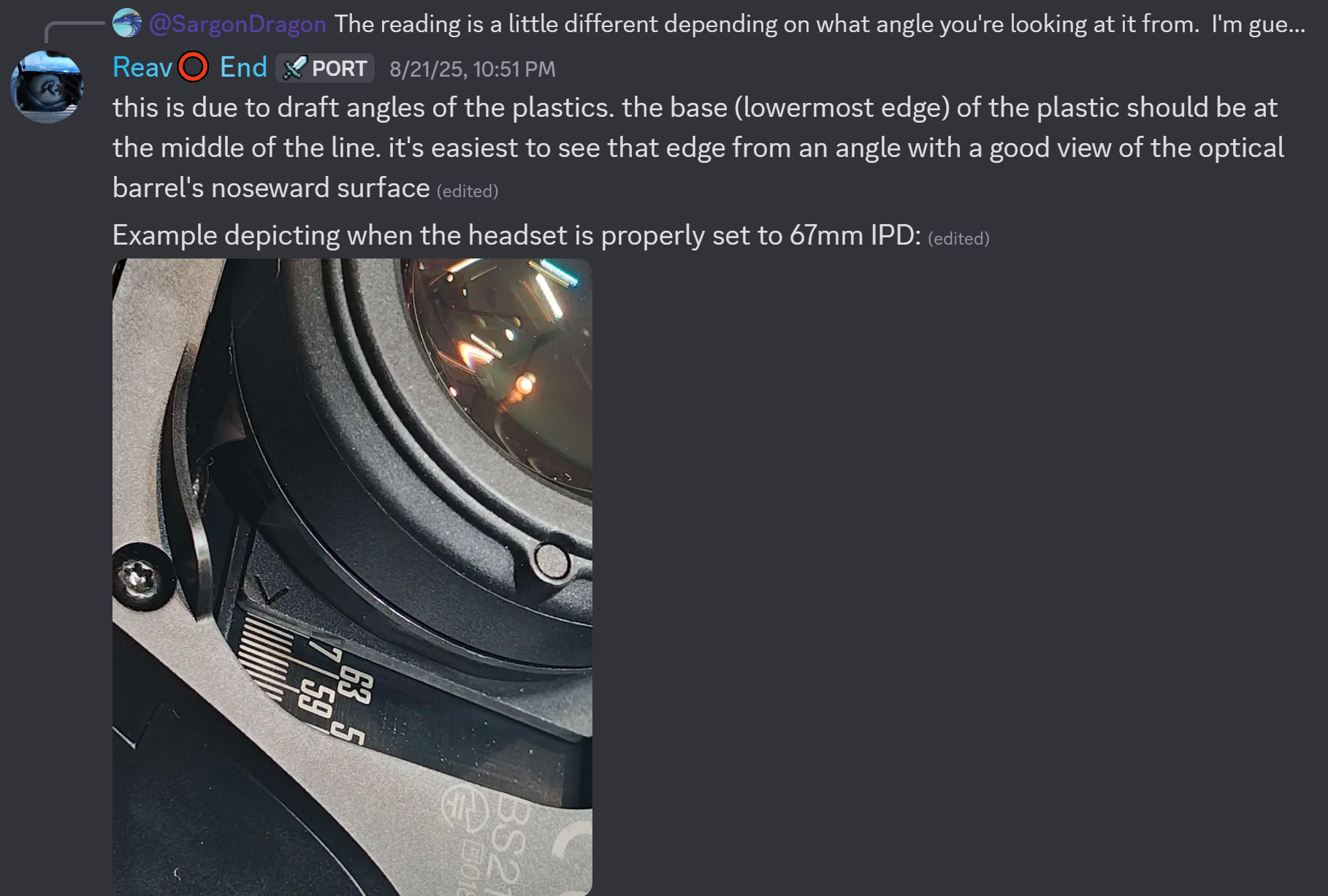
When approaching 69mm, use caution not to over-rotate the IPD tool. It will not move beyond 70mm, and attempting to do so may cause damage to both the IPD tool or sensitive internal components. The same applies to the lower limit of 53mm.
Adjusting your IPD
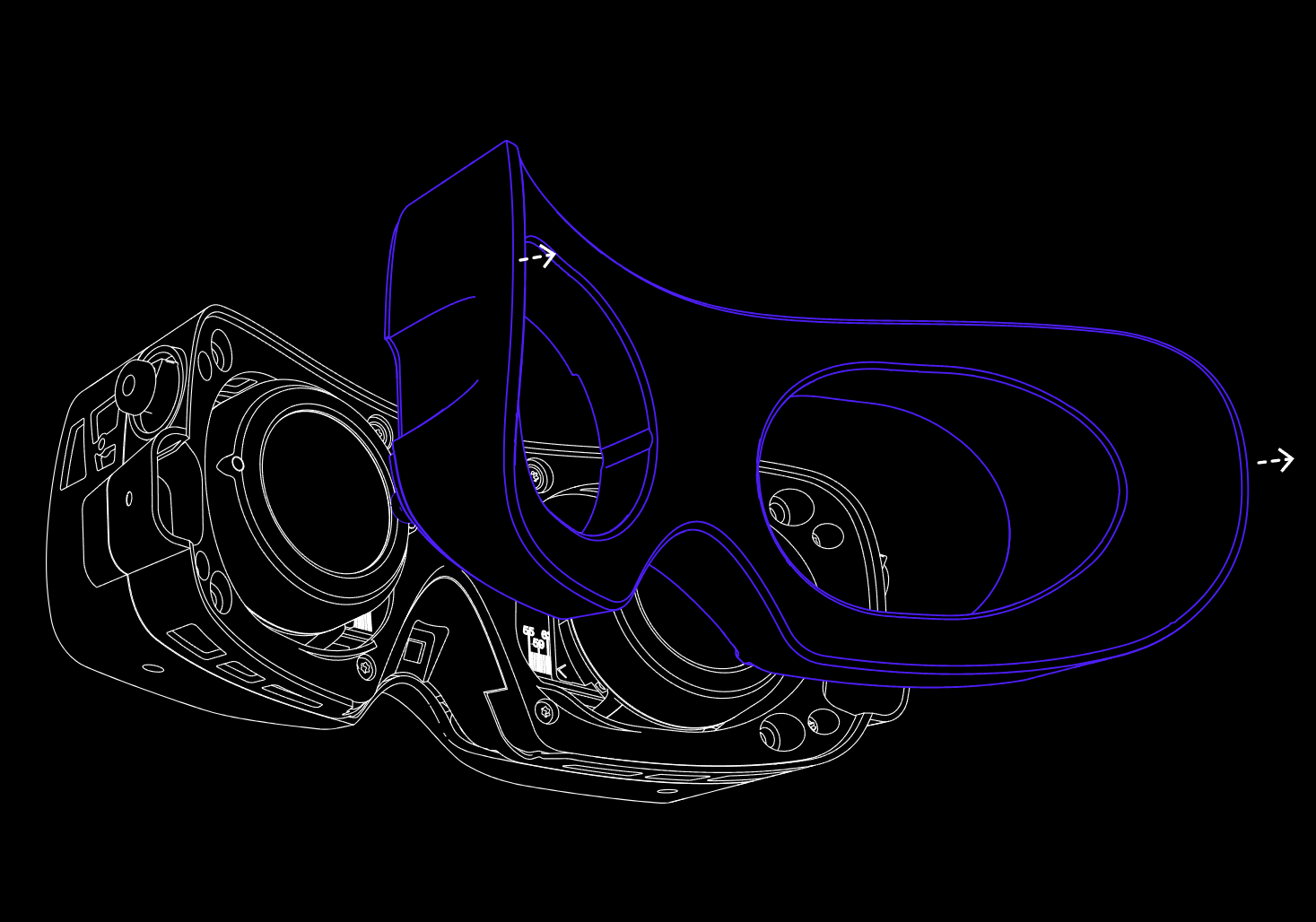
Remove the face cushion or light seal and decide which eye to adjust
Carefully detach the facial interface so you can see the IPD scale on the inside of the headset.
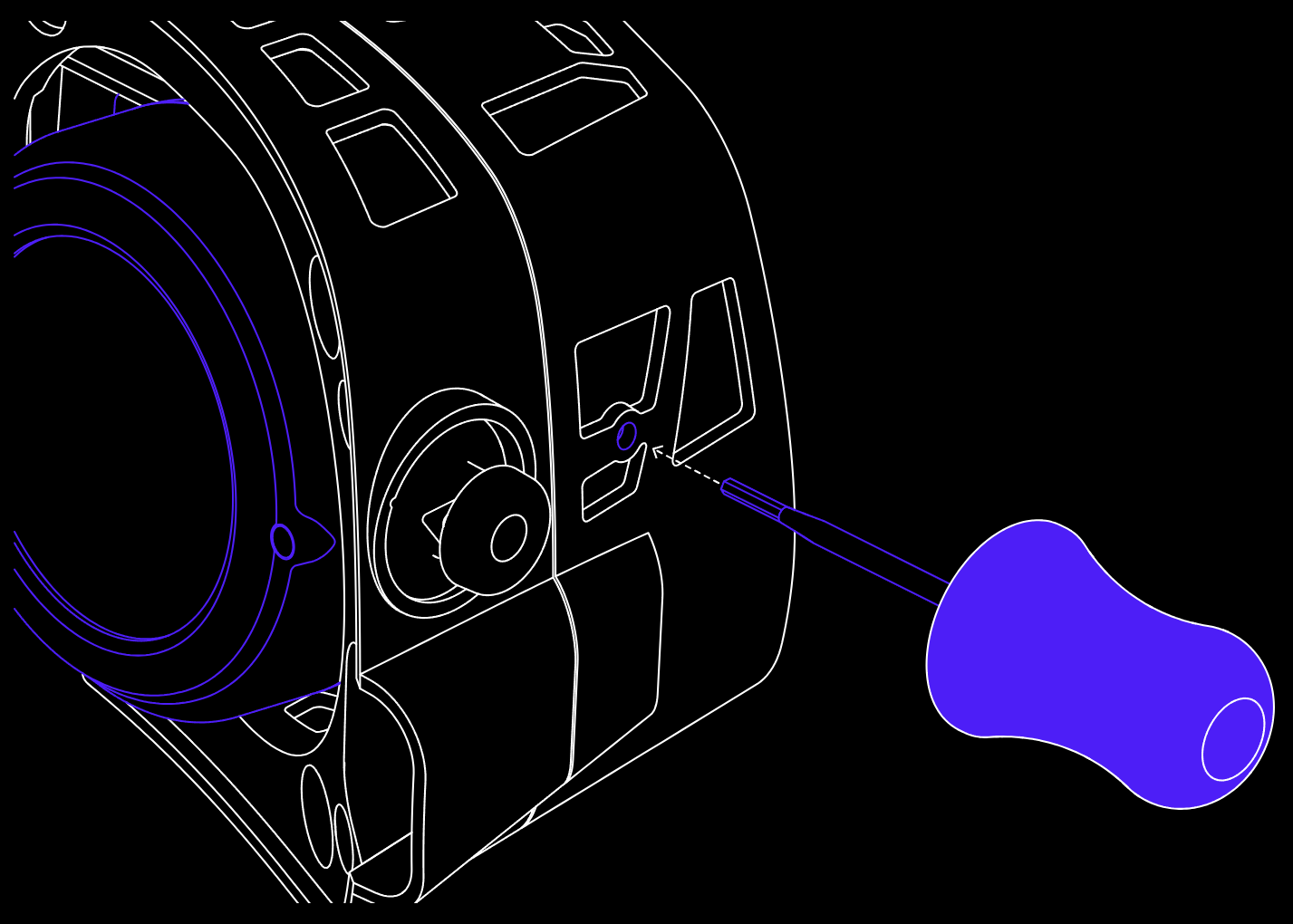
Insert the IPD tool
On each side of the cover shell, find the narrow slot. Insert the IPD tool straight into that slot and push gently until it’s fully seated.
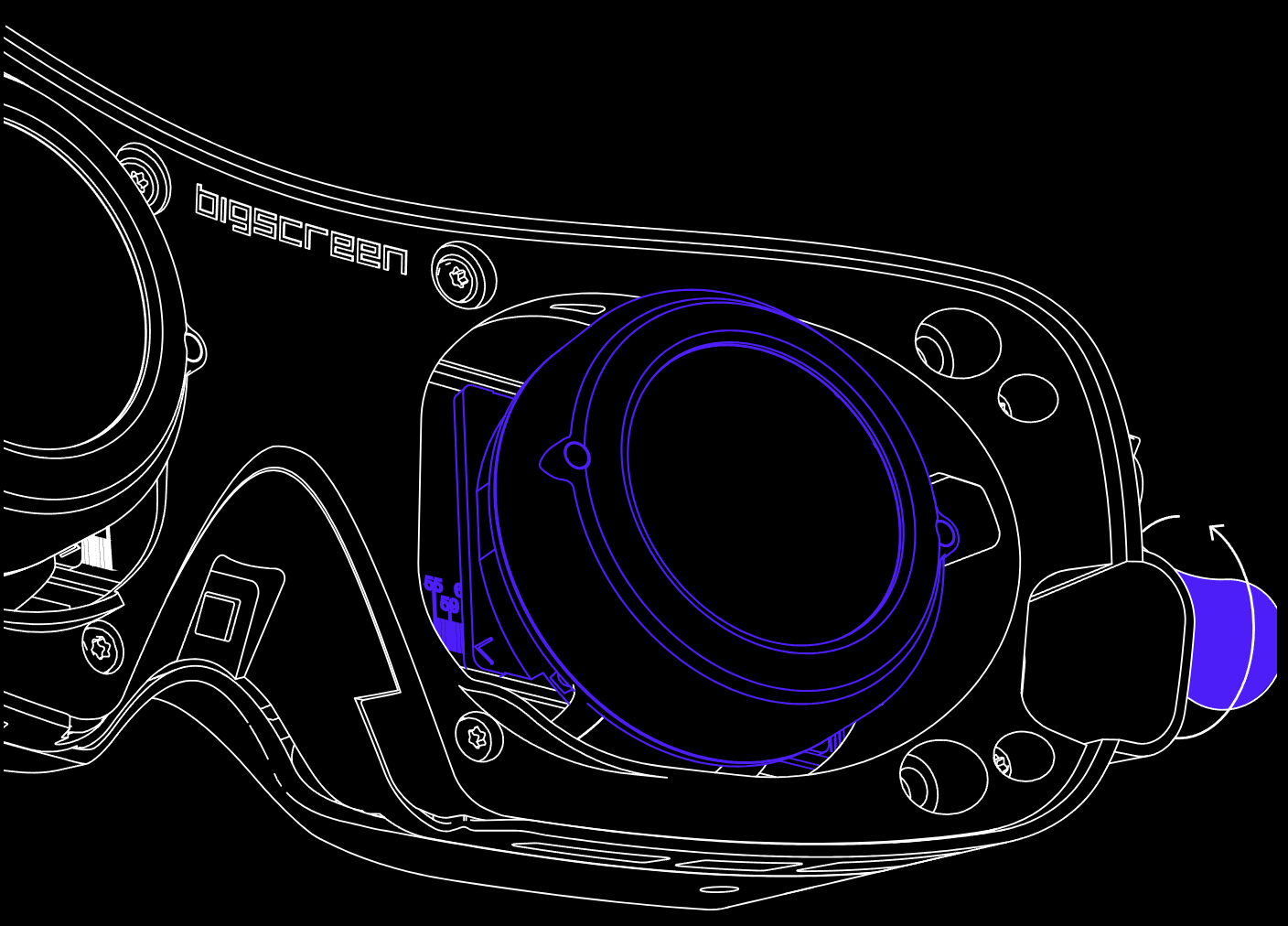
Align and rotate to your IPD
Hold the headset at eye level so you can clearly see the millimeter markings on the IPD scale (53–70 mm). Slowly rotate the tool, you’ll see the optics slide inward or outward based on the direction you turn. Stop once the marker lines up exactly with your known IPD value.
Note: attempting to move the optic module wider than its widest, or narrower than its narrowest setting may result in damage to sensitive internal components.
Verify IPD on the Measurement Scale
After adjusting, look closely at the millimeter markings inside the headset to ensure the indicator aligns with your IPD. In this example, the scale reads 69 mm, confirming your setting.
Tips and Tricks
Your measured IPD is a great place to start out with, but feel free to experiment with it! Some users find going 1-2mm below their measured or prior IPD can improve comfort and stereo overlap.
You can adjust the IPD asymmetrically if needed. For instance, if you set the left lens to 60mm and the right to 64mm, choose 62mm as your software IPD.
Any environments with small details like text or sharp contrast in colors can be a great place to help narrow down your IPD.